
Labeling of AI-Generated and AI-Modified Content
In accordance with the Wacker Neuson Group AI Policy, transparency requirements apply to certain AI-generated and AI-modified content.
It applies worldwide to all employees of the Wacker Neuson Group.
For content subject to labeling requirements “AI Icons” shall generally
be used. The content must be labeled as either “AI-generated” or “AI-modified”, depending on how it was created.
The AI icons are provided in predefined sizes for different media types and communication channels, including print, online, social media, and video.
The icons are available in black and white versions, both as solid and transparent variants.
The use of the transparent variants is preferred. However, sufficient contrast against the background and clear legibility must always be ensured.
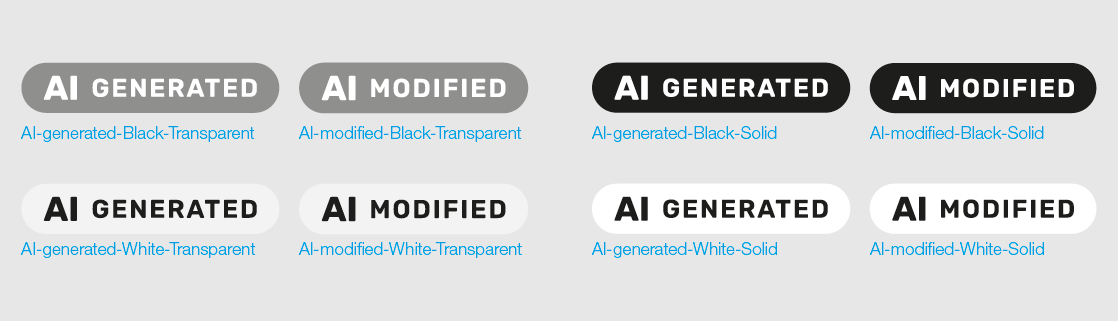
AI generated
Guidance for use:
The AI icon as shown above is generally sufficient without
any additional text.
When to use:
Where the content subject to labeling requirements has been
generated entirely by an AI system..
Examples of use:
- Fully AI-generated image of a machine in operation
- AI-generated product video
- AI-generated voice-over
- Virtual AI avatar
AI modified
Guidance for use:
The AI icon as shown above is generally sufficient without any
additional text.
When to use:
Where existing content has been materially modified by AI and therefore
becomes subject to labeling requirements.
Examples of use:
- A real product photograph placed into a different environment using AI
- Non-existent product features or equipment added using AI
- Voice, language, or lip movements in a real video are altered using AI
Positioning
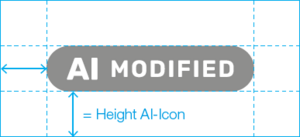
The clear space and minimum distance to the edge must always equal the height of the AI icon.
The required clear space is included in all AI icon assets.
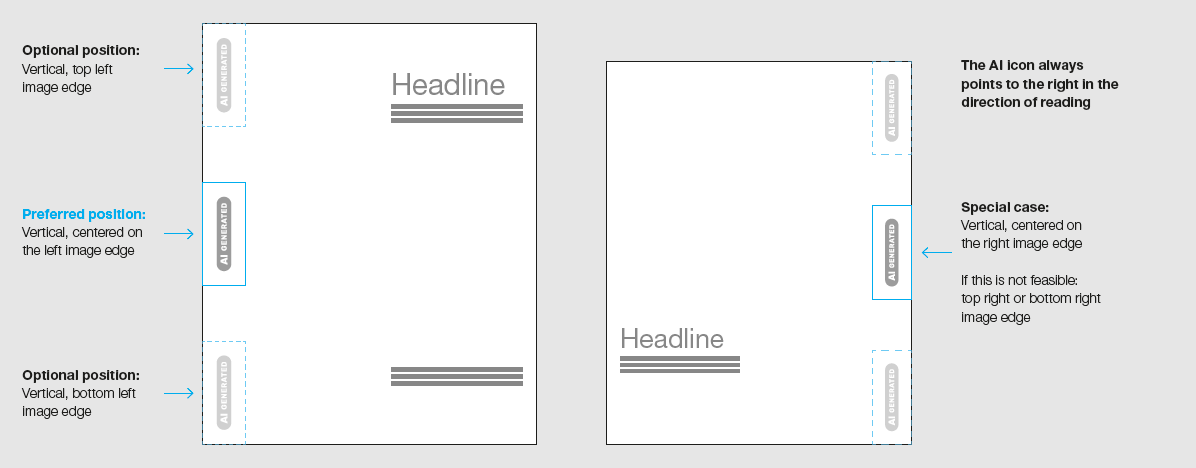
The preferred placement of the AI icon is vertically centered along the left edge of the image.
For print media, the AI icon should be placed vertically at the center of the left image edge, opposite the text area. Where required by the layout, placement at the top or bottom of the image edge is also permissible.
In exceptional cases, the AI icon may be placed vertically along the right edge of the image. For social media and other digital assets, a vertically centered position along the left edge is preferred.
The labeling must be easily recognizable, understandable, and distinguishable from other information for affected persons.
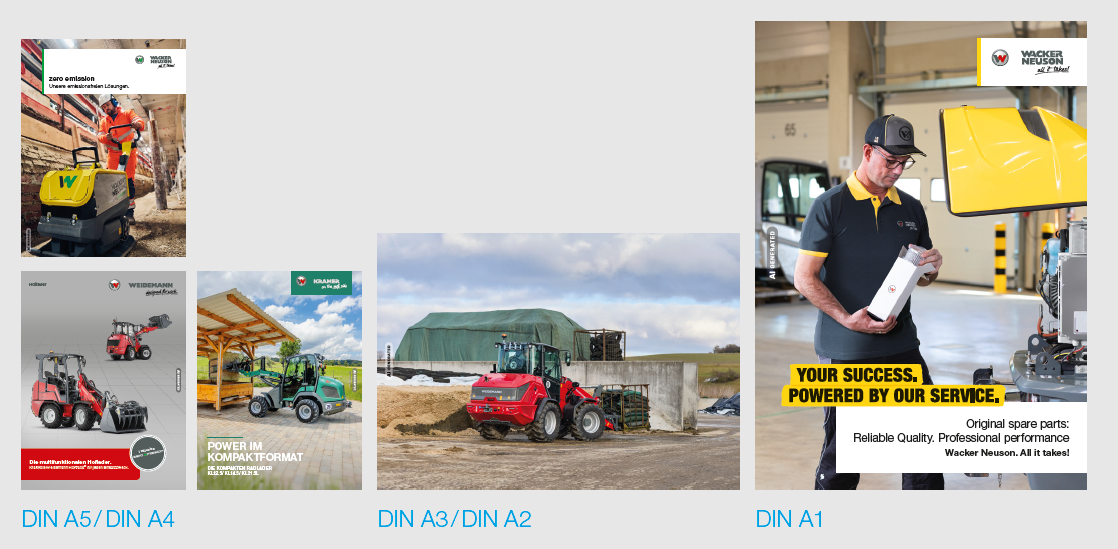
For use in print media, AI icons are available in Small (S), Medium (M), and Large (L) sizes.
The longer side of the format determines the icon size to be used.
The minimum permitted size is Small (S).
The required clear space and minimum distance to the edge shall always correspond to the height of the AI icon.
The specified clear space is already incorporated into all AI icon assets.
Small (S):
Long side smaller than 420 mm
AI icon height: 6 mm
Clear space: 6 mm
Medium (M):
Long side smaller than 594 mm
AI icon height: 12 mm
Clear space: 12 mm
Large (L):
Long side larger than 594 mm
AI icon height: 20 mm
Clear space: 20 mm
For formats not covered here, the following applies: The AI icon is based on the design unit R and is mirrored with h = 2R.
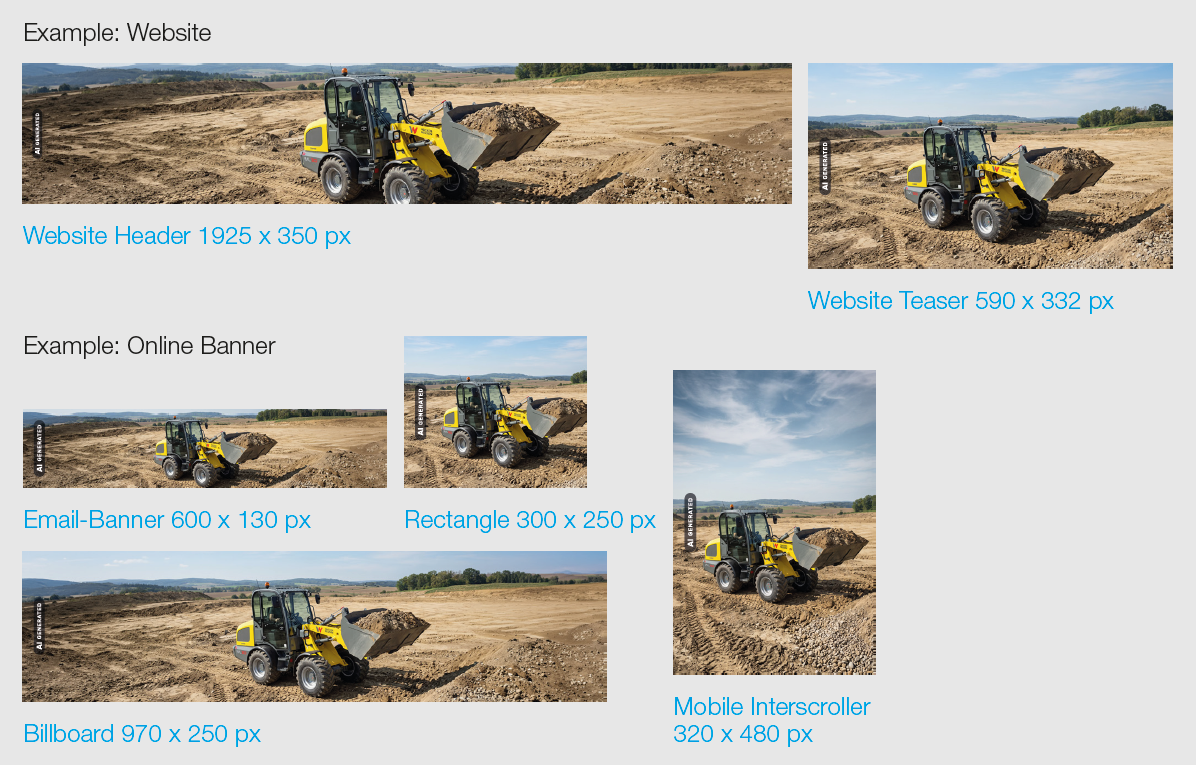
Online
For all digital formats intended for display at 72 dpi, AI icons are available in two sizes.
The shorter side of the format determines which icon size must be used.
Note:
For banners specifically designed for display on Retina screens, the AI icon should be applied at twice the specified size.
The required clear space and minimum distance to the edge shall always correspond to the height of the AI icon.
The specified clear space is already incorporated into all AI icon assets.
Small (S):
Short side smaller than or up to 350 px
AI icon height: 18 px
Clear space: 18 px
Medium (M):
Short side larger than 350 px
AI icon height: 24 px
Clear space: 24 px
Social Media
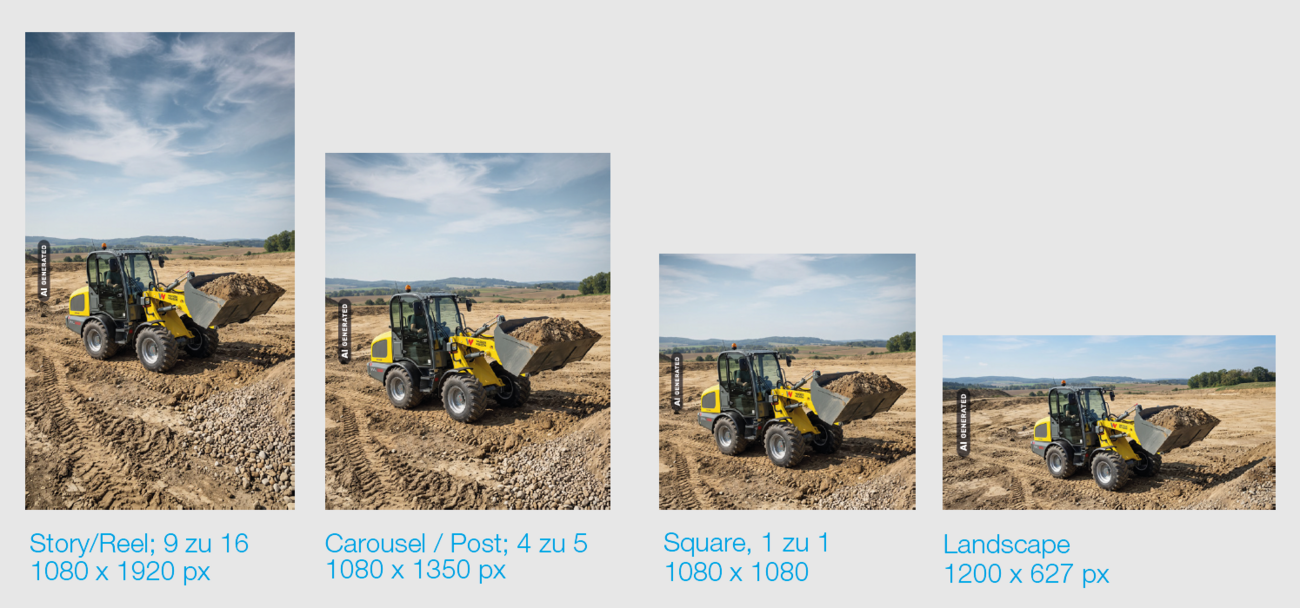
For social media applications, which are primarily viewed on smartphones, a dedicated set of AI icons is available in a single standardized size.
For social media and digital assets, a vertically centered position along the left edge is the preferred placement.
AI icon height: 48 px
Clear space: 48 px
The required clear space and minimum distance to the edge shall always correspond to the height of the AI icon.
The specified clear space is already incorporated into all AI icon assets.
Video
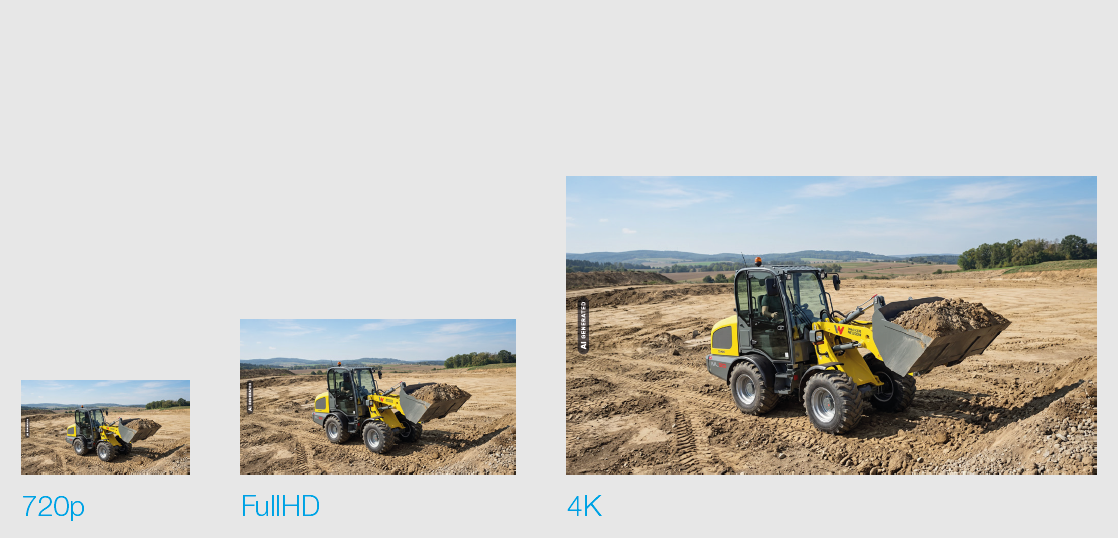
For video content, the AI icon shall be scaled to approximately 4 % of the shorter side of the video format.
For formats not listed below, the icon size may be calculated using the following formula:
h = 4 % of the video height
The required clear space and minimum distance to the edge shall always correspond to the height of the AI icon.
The specified clear space is already incorporated into all AI icon assets.
720p
AI icon height: 30 px
Clear space: 30 px
FullHD (1080p)
AI icon height: 80 px
Clear space: 80 px
4K / UltraHD
AI-Icon-Höhe: 80 px
Schutzzone: 80 px
Display Duration and Placement
For videos, the AI icon should be displayed at the beginning and, where
necessary, during the relevant section. For short-form videos, continuous
display of the AI icon throughout the video is recommended.
Internal
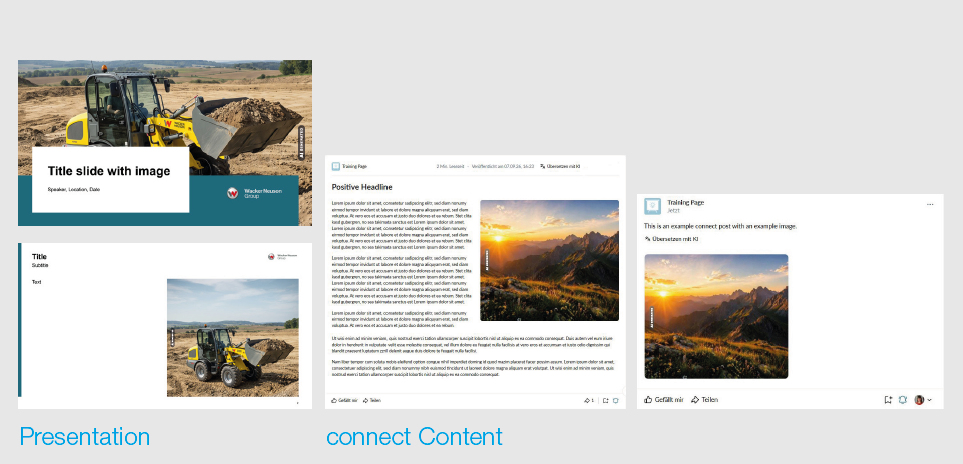
AI-generated and AI-modified content used internally must also be labeled
using the AI icons.
This applies, for example, to presentations, content on connect, and training materials. However, it also applies to other internal content.
Positioning
The preferred placement of the AI icon is vertically centered along the left edge of the image.
The labeling must be easily recognizable, understandable, and distinguishable from other information for affected persons.